AI Usage Control tools provide the critical governance layer enterprises need to adopt Generative AI safely. These solutions monitor employee interactions, enforce real-time data policies, and prevent the leakage of sensitive information to public models like ChatGPT and Gemini.
What Are AI Usage Control Tools and Why They Matter
AI Usage Control (AIUC) tools are specialized security platforms that govern the interaction between enterprise users and Generative AI applications. Unlike traditional DLP or firewalls that focus on file transfers and network perimeters, AIUC solutions inspect the conversational content of prompts and responses in real time. They enable organizations to define intent-based policies, such as allowing marketing teams to use AI for copy generation while blocking engineering teams from pasting proprietary code into the same tool.
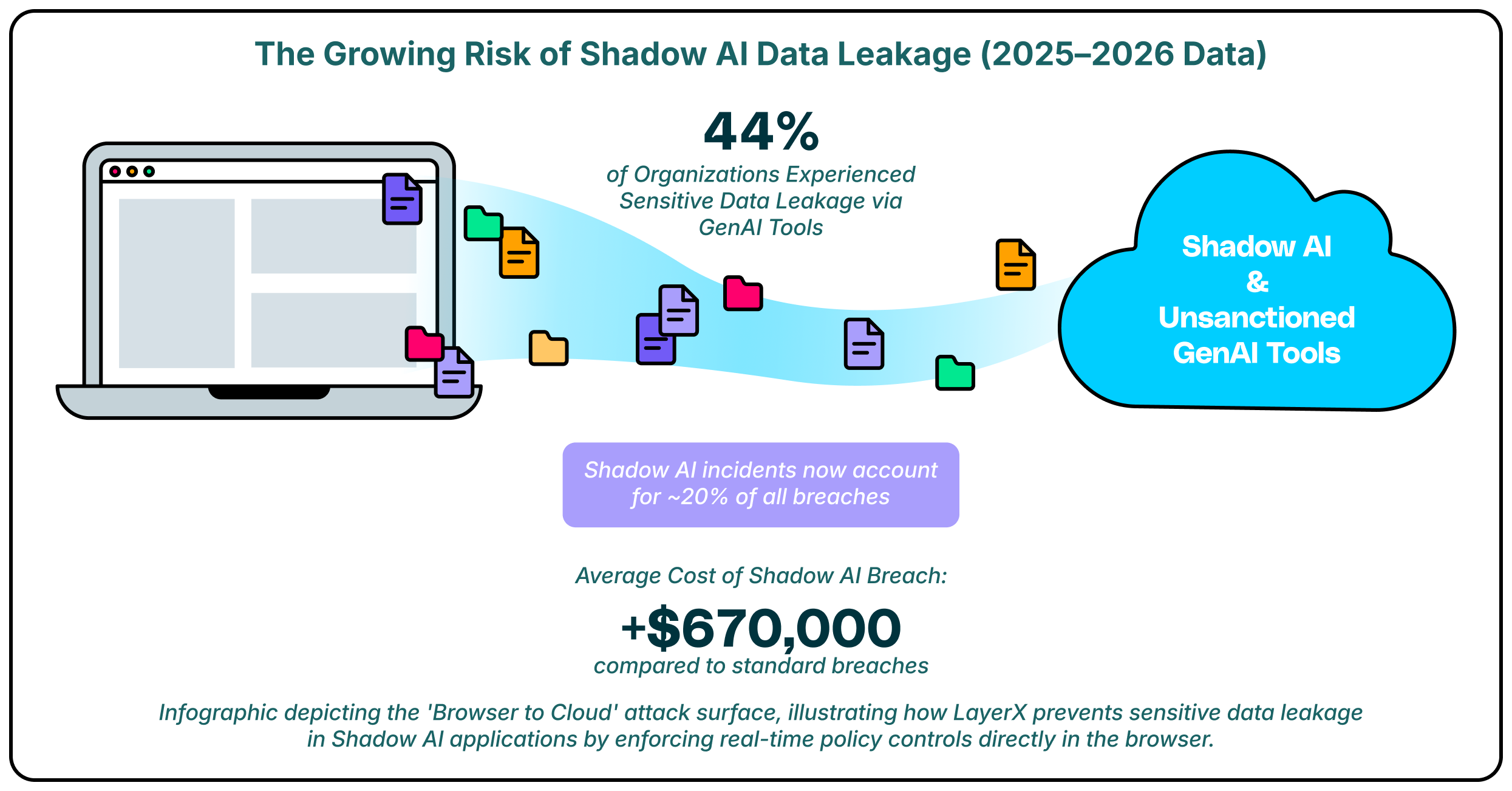
This category has become essential as the “browser to cloud” attack surface expands. Employees increasingly bypass corporate networks to access AI tools directly via web browsers, creating blind spots for legacy security stacks. By enforcing security at the browser and identity level, these tools mitigate risks related to Shadow AI, adversarial prompting, and unauthorized data sharing without requiring a blanket ban that stifles innovation.
Key AI Usage Control Trends to Watch in 2026
A major shift in 2026 is the move toward identity-centric governance. Security leaders are realizing that blocking AI URLs is ineffective and that context matters more than simple access control. The leading strategies now focus on understanding “who” is interacting with “what” data, allowing organizations to apply granular policies that adapt based on the user’s role. This ensures that a finance director and a software developer face different, appropriate guardrails when using the same AI tool.
Another dominant trend is the consolidation of controls within the enterprise browser. Since the majority of AI interaction happens via web interfaces, the browser has become the most effective point for “last-mile” enforcement. Tools that can inspect the Document Object Model (DOM) in real time are replacing network-based proxies, as they offer deeper visibility into the actual content being pasted or generated. This allows for the detection of dynamic risks like prompt injection attacks that network inspectors often miss due to encryption or obfuscation.
 11 Best AI Usage Control Tools for 2026
These platforms offer diverse approaches to securing AI adoption, from browser-based extensions to API-driven governance layers.
| Solution | Key Capabilities | Best for |
| LayerX | Browser-based enforcement, Shadow AI discovery | Last-mile DLP & secure access |
| Island | Enterprise browser replacement, Self-protection | Controlled, managed environments |
| Palo Alto Networks | SASE integration, Precision AI | Existing Palo Alto customers |
| Harmonic Security | “Zero Touch” data protection, Shadow AI | Innovation-focused teams |
| Prompt Security | Prompt injection defense, Shadow AI visibility | Securing AI inputs/outputs |
| AIM Security | GenAI inventory, AI-SPM | CISOs need broad visibility |
| Lasso Security | Context-based access control, RAG security | LLM & RAG frameworks |
| Nightfall AI | AI-powered DLP, Real-time remediation | Data masking & remediation |
| Witness AI | Regulatory risk analytics, Insider threat | Compliance-heavy sectors |
| Menlo Security | Secure Cloud Browser, Copy-paste control | Remote Browser Isolation (RBI) users |
| Seraphic Security | Exploit prevention, In-browser DLP | Stopping browser exploits |
1. LayerX

LayerX delivers a browser-centric approach to AI Usage Control, placing deep visibility and enforcement capabilities directly where users interact with AI tools. It functions as an enterprise browser extension that monitors every event within the session, enabling it to distinguish between safe queries and risky actions like pasting source code or uploading sensitive files. This granular control allows organizations to sanction productivity-enhancing tools while strictly prohibiting data exfiltration.
Beyond simple blocking, LayerX provides comprehensive discovery of Shadow AI usage across the workforce. It identifies every AI application accessed, regardless of whether it is a corporate-sanctioned tool or a personal account, and enforces consistent security policies across all of them. This capability ensures that data protection travels with the user, effectively closing the gap between strict internal compliance standards and the fluid nature of web-based AI adoption.
2. Island

Island reimagines the browser itself as the primary security control point, offering a dedicated “Enterprise Browser” that replaces standard consumer browsers like Chrome or Edge. This controlled environment allows IT teams to embed security policies directly into the browsing experience, including restrictions on copy-pasting data into AI chatbots. It provides a highly secure container for sensitive work, ensuring that no data can leave the managed environment without authorization.
For AI usage specifically, Island offers built-in data loss prevention features that can redact sensitive information before it reaches an external model. The browser’s architecture gives it complete visibility into user actions, allowing for audit trails that detail exactly what was shared with AI platforms. This level of control is ideal for organizations that can mandate a specific browser for all corporate work.
3. Palo Alto Networks (Prisma Access Browser)

The Prisma Access Browser by Palo Alto Networks integrates secure browsing directly into its broader SASE architecture. It utilizes “Precision AI” to detect and block threats in real time, leveraging the company’s massive dataset of threat intelligence. For AI usage, it offers policy controls that can identify and block sensitive data transfers to GenAI applications, ensuring that users remain compliant with corporate data standards.
This solution is designed to work seamlessly with existing Palo Alto security infrastructure, providing a unified view of threats across the network and the browser. It simplifies policy management for teams already using Prisma Access, allowing them to extend their existing data protection rules to cover the new risks introduced by web-based AI tools. The browser acts as an edge enforcement point that keeps pace with the rapid changes in the AI landscape.
4. Harmonic Security

Harmonic Security emphasizes a “Zero Touch” approach to data protection, aiming to secure AI adoption without heavy-handed configuration. The platform focuses on classifying AI apps based on risk and value, helping organizations distinguish between harmless productivity tools and dangerous data leaks. Its goal is to enable the safe adoption of AI rather than simply blocking it.
The tool provides deep visibility into the data flowing to AI providers, allowing teams to spot “high-value” adoption trends. Harmonic uses pre-built risk models to automate the approval process for new tools, reducing the burden on security analysts. This strategy appeals to companies that want to encourage innovation while maintaining a safety net for critical data.
5. Prompt Security

Prompt Security focuses heavily on securing the inputs and outputs of Generative AI systems to prevent data leakage and manipulation. Their platform inspects prompts in real time to detect attempts at jailbreaking or prompt injection, ensuring that AI models function as intended. It provides a critical layer of defense for employees using tools like ChatGPT, scrubbing sensitive PII from queries before they are sent to the cloud.
The solution also offers visibility into Shadow AI by monitoring employee interactions with external tools. It empowers organizations to enforce “sanitized” usage, where employees can benefit from AI assistance without exposing the company’s intellectual property. Securing the data flow at the prompt level helps organizations maintain privacy without needing to build complex custom infrastructure.
6. AIM Security

AIM Security provides a specialized platform designed to help CISOs create a comprehensive inventory of all GenAI usage within the enterprise. It focuses on “AI Security Posture Management” (AI-SPM), offering a clear view of which tools are being used and the potential risks associated with them. This visibility is essential for organizations that are struggling to quantify the scope of their Shadow AI problem.
The platform employs an “AI-Firewall” approach to govern interactions with both public and private models. It can detect and block prompt injection attacks and prevent sensitive data from being sent to unauthorized models. AIM’s focus on the specific vulnerabilities of LLMs makes it a strong choice for security teams that need deep, specialized insights into their generative AI stack.
7. Lasso Security
Lasso Security introduces Context-Based Access Control (CBAC) to the AI governance landscape, specifically targeting the needs of LLM and RAG (Retrieval-Augmented Generation) deployments. This method dynamically assesses access requests based on user identity, behavior, and data type, ensuring that interactions are safe and compliant. It is particularly effective for organizations building their own internal AI applications that require strict data boundaries.
The solution integrates with various GenAI environments to monitor data transfers and spot anomalies in real time. Lasso protects against novel threats like model manipulation and data poisoning, which are becoming more relevant as enterprises fine-tune their own models. Its emphasis on context allows for more flexible and accurate policy enforcement than simple keyword blocking.
8. Nightfall AI

Nightfall AI leverages its established strength in Data Loss Prevention (DLP) to tackle AI usage control. Its platform uses machine learning detectors trained on 125 million parameters to identify PII, PCI, and secrets with high accuracy. For AI usage, Nightfall provides real-time remediation, automatically masking sensitive data in prompts (like ChatGPT) before it leaves the browser or API.
This “redaction-first” approach allows employees to continue using AI tools without interruption, as only the sensitive data is removed while the rest of the prompt remains functional. Nightfall’s focus on “contextual” detection helps reduce false positives, which is a common pain point in traditional DLP systems applied to conversational AI.
9. Witness AI

Witness AI targets the compliance and regulatory aspects of AI usage, making it a fit for highly regulated industries like finance and healthcare. The platform provides analytics on behavioral risk and regulatory exposure, helping organizations map their AI usage against internal policies. It is designed to detect insider threats by analyzing conversation patterns over time.
The solution creates a specialized audit trail for AI interactions, which is essential for proving compliance during audits. By focusing on the “safe use” enablement, Witness AI helps organizations navigate the complex intersection of rapid technological adoption and rigid internal mandates. It provides the necessary oversight to ensure that AI strategies do not violate data governance rules.
10. Menlo Security

Menlo Security leverages its Remote Browser Isolation (RBI) technology to create a secure buffer between users and GenAI applications. Their “Menlo for GenAI” solution offers granular copy-paste controls, ensuring that users cannot input sensitive code or PII into chatbot interfaces. This approach essentially treats the AI application as an untrusted destination, isolating the interaction to prevent data loss.
Beyond isolation, Menlo provides browsing forensics to log exactly what data is being shared with AI platforms. This visibility helps security teams audit usage patterns and enforce compliance without needing to deploy agents on every endpoint. It is a strong fit for organizations that already rely on isolation for web security.
11. Seraphic Security

Seraphic Security provides an enterprise browser security platform that works across any standard browser, focusing on exploit prevention and runtime protection. Its “In-Browser DLP” capabilities monitor user interactions with AI tools, blocking sensitive data sharing in real time. Seraphic’s technology injects a security layer into the browser session to control JavaScript execution, which helps prevent advanced attacks targeting the browser itself.
The solution offers deep visibility into how employees are using AI, logging prompts and responses to ensure compliance with data governance policies. By stopping attacks at the browser engine level, Seraphic protects against sophisticated threats that might try to bypass traditional detection methods. It is designed to be lightweight and compatible with existing enterprise workflows.
How to Choose the Best AI Usage Control Provider
- Assess whether the solution offers browser-level visibility to catch Shadow AI usage that network proxies might miss due to encryption.
- Look for identity-aware policies that allow you to vary access rules based on the user’s role and the specific data context.
- Evaluate the deployment model to ensure it fits your infrastructure, whether that is a lightweight browser extension or a full browser replacement.
- Verify that the tool can detect and block adversarial threats like prompt injection and jailbreaking in real time.
- Check for integration capabilities with your existing SIEM and IdP systems to ensure a unified security workflow.
FAQs
What is the difference between AI Usage Control and traditional DLP?
Traditional DLP is often designed for file-based protection and lacks the context to understand conversational AI prompts. AI Usage Control tools are specifically built to analyze the intent and content of interactions with LLMs, allowing them to block specific risky actions, such as pasting code, without blocking the entire application.
Can these tools discover “Shadow AI” apps?
Yes, most AI Usage Control platforms include discovery capabilities that log all AI applications accessed by employees. They provide dashboards that show which tools are being used, how frequently, and by whom, enabling security teams to identify unauthorized apps that may pose a risk.
Do I need a special browser to use these tools?
Not necessarily. While some solutions like Island and Palo Alto Networks require a dedicated enterprise browser, others like LayerX and Reco operate as extensions or API integrations that work with your existing standard browsers (Chrome, Edge) and SaaS environments.
How do these tools handle encrypted traffic?
Browser-based solutions like LayerX and Island can inspect data within the browser before it is encrypted and sent over the network. This allows them to see the full content of prompts and responses, providing visibility that network-based tools often lack.
Are these solutions necessary if we have a “no AI” policy?
Yes, because a “no AI” policy is difficult to enforce without technical controls. Employees often use personal devices or find workarounds to access helpful AI tools. AI Usage Control provides the visibility to verify compliance and the technical means to enforce the policy effectively.