As the browser cements itself as the primary workspace for modern enterprises, unvetted browser extensions have emerged as a critical blind spot. Traditional network defenses cannot see or stop the risks introduced by these third-party add-ons, which often carry excessive permissions. Browser extension management tools fill this gap by providing granular visibility, risk scoring, and enforcement policies to ensure productivity tools don’t become vectors for data exfiltration or malware.
What Are Browser Extension Management Tools?
Browser extension management tools are specialized security platforms that identify, assess, and control the browser extensions installed across an organization’s environment. Unlike basic “allow/block” lists found in standard group policies, these solutions offer deep analysis of extension behaviors, code integrity, and permission scopes.
For security leaders, these tools are essential for neutralizing “Shadow SaaS” and preventing data leakage. Employees frequently install extensions to boost productivity, Grammarly for writing, various AI copilots for coding, but these often demand read/write access to sensitive corporate web pages. A comprehensive extension management strategy ensures that IT teams can discover every installed add-on, evaluate its risk level (e.g., does it scrape PII?), and automatically disable high-risk extensions without disrupting legitimate workflows.
Key Trends in Extension Security for 2026
In 2026, the focus has shifted from simple blocking to intelligent risk governance. Organizations are moving away from manual whitelisting, which creates bottlenecks, toward automated solutions that score extensions based on real-time threat intelligence.
Another major trend is the governance of GenAI extensions. With the explosion of AI-powered browser plugins, security teams are prioritizing tools that can specifically monitor how these extensions interact with corporate data. The goal is to prevent sensitive IP from being fed into public LLMs via sidebar extensions while still allowing employees to utilize safe AI tools.
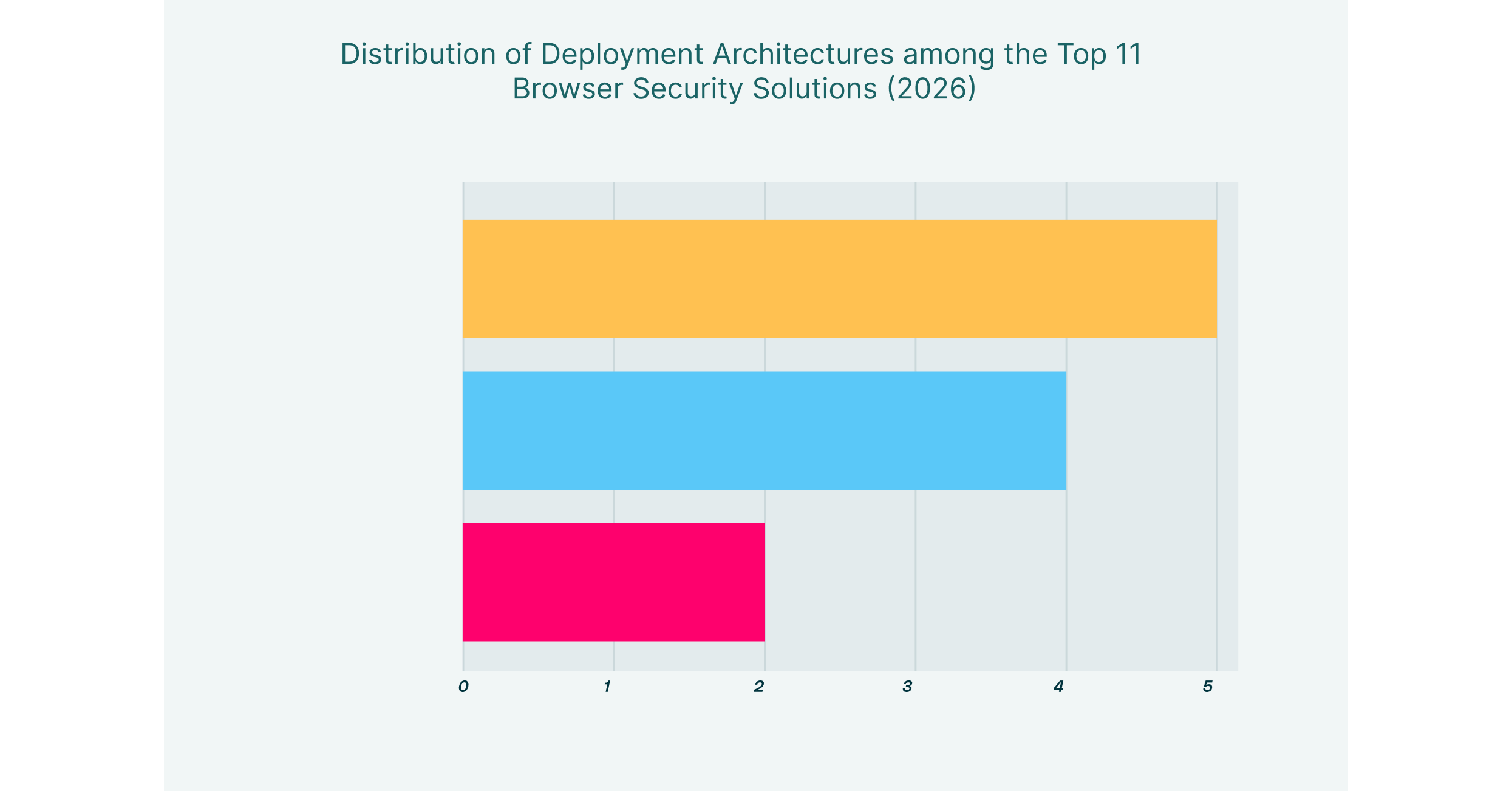
Finally, the market is favoring “browser-agnostic” management. Rather than locking users into a single custom browser, leading solutions now overlay security controls onto standard browsers like Chrome and Edge. This allows for seamless deployment and consistent policy enforcement across managed and unmanaged (BYOD) devices, ensuring that extension risks are managed regardless of the browser choice.
11 Best Browser Extension Management Tools for 2026 List
| Solution | Key Capabilities | Best for |
| LayerX | Automated risk scoring, deep visibility, real-time enforcement | Seamless extension governance on any browser |
| Island | Native control via custom browser, built-in governance | Unmanaged device control via browser replacement |
| Palo Alto Networks | SASE integration, extension directory, Zero Trust | Palo Alto ecosystem users |
| Menlo Security | Browser posture management, cloud-based policy | Isolating high-risk web traffic |
| Surf Security | Consolidated workspace, granular access control | Unified workspace for simplified access |
| Seraphic Security | Anti-exploitation, behavioral monitoring, privilege control | Stopping sophisticated browser exploits |
| SquareX | Client-side isolation, disposable tabs, and file scanning | Threat detection for power users |
| Mammoth Cyber | Remote access portal, session recording | Secure remote access for third parties |
| Harmonic Security | GenAI data protection, shadow AI mapping | Securing GenAI usage specifically |
| Koi Security | Extension inventory, risk grading, automated removal | Managing browser extension risks |
| Red Access | Agentless architecture, session protection | Frictionless deployment without agents |
1. LayerX


LayerX provides a user-first browser security platform that excels as a premier browser extension management tool. Delivered as a lightweight extension itself, it turns any commercial browser into a secure, monitored workspace. LayerX distinguishes itself with “Extensionpedia,” a comprehensive risk database that automatically scores every extension in your environment based on permissions, source reliability, and behavior.
Beyond discovery, LayerX enforces adaptive policies. It can automatically disable high-risk extensions that request access to sensitive data while allowing low-risk productivity tools to run. Its real-time monitoring detects if an extension attempts to hijack credentials or exfiltrate data, bridging the gap between user freedom and strict corporate security.
2. Island


Island pioneered the “Enterprise Browser” category by building a dedicated Chromium-based browser that organizations deploy to replace standard browsers. This approach gives IT teams absolute control over the extension ecosystem. Administrators can curate a mandatory store of approved extensions and completely block the installation of any unauthorized add-ons from the public Chrome Web Store.
The platform’s strength lies in its closed-loop environment. Because employees work entirely within Island, security teams can enforce strict boundaries, ensuring that no unvetted code runs alongside critical corporate applications. This model is particularly effective for high-security environments where total isolation is required.
3. Palo Alto Networks (Prisma Access Browser)


Palo Alto Networks offers the Prisma Access Browser (formerly Talon), which integrates tightly with its SASE ecosystem. For extension management, it provides a centralized directory that lists all installed extensions across the enterprise, offering visibility into installation sources and permission scopes.
Prisma Access Browser is ideal for organizations looking to consolidate their security stack. It allows administrators to filter extensions by status and source, enabling them to identify and remove unwanted add-ons that may have slipped past initial defenses. Its integration ensures that extension policies are consistent with broader network security rules.
4. Menlo Security


Menlo Security leverages its Remote Browser Isolation (RBI) heritage to offer a cloud-delivered security posture manager. Its solution includes features to manage local browser configurations and extensions. By assessing the risk posture of the browser, Menlo helps administrators identify vulnerable or malicious extensions that could compromise the endpoint.
The platform focuses on neutralizing threats before they reach the device. By isolating web traffic and managing browser policies in the cloud, Menlo reduces the attack surface, ensuring that even if a risky extension is present, its ability to execute malicious code is significantly constrained.
5. Surf Security


Surf Security provides a “Zero Trust Enterprise Browser” designed to serve as a consolidated workspace. Similar to other enterprise browsers, it centralizes control over the user’s web environment, allowing IT to dictate exactly which extensions are permissible. Surf’s interface creates a unified dashboard where only verified tools are accessible.
From a management perspective, Surf simplifies the chaos of unmanaged extensions by providing a clean slate. It prevents users from cluttering their workspace with unverified personal add-ons, ensuring that the browser remains a dedicated tool for business tasks with a minimized risk profile.
6. Seraphic Security


Seraphic Security focuses on an “abstraction layer” defense that sits inside the browser to block exploits and manage extension behavior. Its solution offers specific “Extension Governance and Control” capabilities, allowing teams to create allowlists and flag extensions that demand excessive permissions.
Crucially, Seraphic monitors extension behavior in real time. Rather than just relying on static risk scores, it observes what an extension is actually doing, such as attempting to manipulate the DOM or access sensitive fields, and blocks unauthorized actions. This makes it highly effective against “good extensions gone bad” (safe tools that are later compromised).
7. SquareX


SquareX positions itself as a solution for “last mile” browser security, with a strong focus on client-side protection. Its “Extension Analysis Framework” uses a three-layer approach (metadata, static code, and dynamic analysis) to evaluate the safety of browser add-ons. SquareX isolates sessions, ensuring that malicious scripts from risky extensions cannot persist on the device.
The platform is designed for threat detection, allowing security teams to write custom logic to spot specific malicious behaviors. This modularity is valuable for teams that need to catch highly targeted threats that might bypass standard reputation-based filters.
8. Mammoth Cyber


Mammoth Cyber provides a secure enterprise browser portal focused on remote access for contractors. While its primary use case is replacing VPNs, it inherently manages extension risks by providing a locked-down session. Users accessing corporate apps through Mammoth do so in a controlled environment where they cannot install unauthorized extensions.
This approach effectively neutralizes the risk of personal extensions on unmanaged devices. Even if a contractor’s personal browser is full of risky add-ons, the Mammoth session remains isolated, ensuring that those extensions cannot interact with or scrape data from corporate applications.
9. Harmonic Security


Harmonic Security specializes in securing GenAI adoption, which increasingly involves managing AI-based browser extensions. Its platform identifies “Shadow AI” tools and plugins, providing deep visibility into data flows between the browser and external AI models.
Harmonic is browser-agnostic and focuses on data protection. It ensures that extensions wrapping tools like ChatGPT or Claude do not become conduits for data leaks. By understanding the context of these interactions, Harmonic allows organizations to safely adopt AI extensions without banning them entirely.
10. Koi Security


Koi Security focuses explicitly on the risks introduced by browser extensions, offering a dedicated platform to inventory and assess every add-on in an environment. It provides automated risk scoring and can enforce policies to remove or block extensions that violate security standards.
The solution treats extensions as a significant attack surface, providing visibility into update channels and ownership changes, common vectors for supply chain attacks. Koi is particularly valuable for organizations that need a specialized tool to clean up a messy extension environment across a distributed workforce.
11. Red Access


Red Access offers an agentless browsing security platform that secures sessions without requiring local software. By routing traffic through a cloud-based inspection layer, it applies security controls that neutralize the risks of malicious extensions on unmanaged devices. It renders content safely, preventing extensions from executing harmful scripts.
This “hybrid” mode ensures that policies are enforced regardless of the browser. It is an excellent choice for securing third-party access where installing a management agent or a new browser is not feasible, providing a safety net against the extensions already present on the user’s device.
How to Choose the Best Extension Management Tool
- Inventory & Visibility: Can the tool discover all extensions (including sideloaded ones) across every browser in your fleet?
- Automated Risk Scoring: Does it provide dynamic risk assessments based on permissions and code analysis, or does it rely on manual lists?
- Granular Enforcement: Can you disable specific high-risk features of an extension without blocking the entire tool?
- Unmanaged Device Support: Does the solution secure corporate data against extensions on personal (BYOD) devices without requiring an agent?
- GenAI Governance: Does it specifically monitor and control AI-based extensions to prevent data leakage to public LLMs?
FAQs
What is the difference between an enterprise browser and a browser extension security tool?
An enterprise browser (like Island) replaces the standard browser entirely to gain control, often forcing users to switch workflows. A browser extension security tool (like LayerX) installs as a lightweight agent on standard browsers (Chrome, Edge), adding deep visibility and management capabilities without changing the user experience.
Why are browser extensions a security risk?
Extensions often require broad permissions, such as “read and change all your data on the websites you visit.” If an extension is malicious or compromised, it can scrape passwords, capture session tokens, and exfiltrate sensitive corporate data without the user knowing.
Can these tools manage extensions on unmanaged devices?
Yes. Extension-based solutions can be deployed to a managed browser profile on a personal device, securing only the work data. Enterprise browsers create a separate, contained environment on the device. Both methods prevent personal extensions from accessing corporate applications.
Do I need to block all extensions to be safe?
No. Modern extension management tools allow for a “risk-based” approach. You can allow productivity-enhancing extensions while automatically blocking those with excessive permissions or poor reputation scores, striking a balance between security and utility.
Do browser security platforms affect internet speed or performance?
Modern browser security solutions are designed to minimize performance impact. Because they process data locally on the device (within the browser) rather than routing all traffic through a distant cloud proxy or VPN, they often perform faster than legacy secure web gateways. However, heavy isolation-based tools (RBI) can sometimes introduce slight latency depending on how they render content.