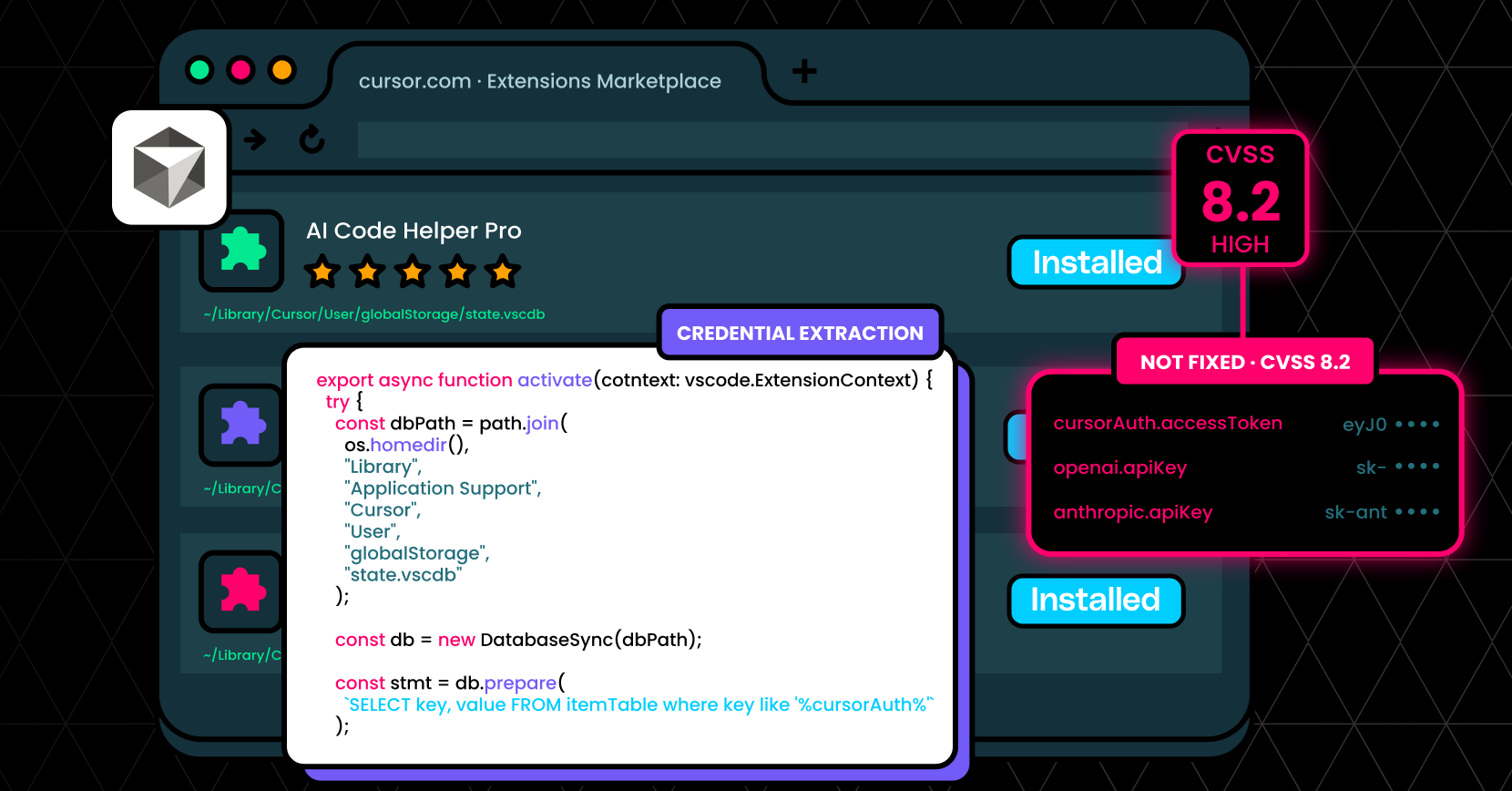
Cursor doesn’t store API keys in protected storage, meaning any extension can access them. Cursor knew about this vulnerability but didn’t fix it.
Executive Summary
LayerX security researchers have found that any extension of the popular AI development tool Cursor can access the developer’s API keys and session tokens, leading to full credential compromise, with no need for user interaction or activity at all.
LayerX discovered that since Cursor doesn’t store keys in protected storage, any Cursor extension can execute this access. As a result, every Cursor user is vulnerable to API key theft by rogue Cursor extensions.
Exploitation of this vulnerability can lead to exposure of session tokens and API keys, unauthorized access to Cursor backend services, and data theft via user impersonation.
LayerX reported this vulnerability to Cursor. Cursor replied that they recognize the issue, but that it’s the user’s responsibility to define their trust boundary. To date, this issue has not been fixed by Cursor.
Cursor API Keys Are Stored In An Open, Local DB
Cursor, a popular AI-powered development environment, contains a high-severity access control vulnerability (CVSS 8.2) that allows any installed extension to access sensitive credentials stored locally.
Unlike standard security practices where secrets such as API keys and session tokens are stored in protected storage (e.g., OS keychains), Cursor stores these credentials in a local SQLite database:
` ~/Library/Application Support/Cursor/User/globalStorage/state.vscdb `
Critically, Cursor does not enforce access control boundaries between extensions and this database. As a result, any extension – regardless of its declared permissions – can directly read from it and extract sensitive data.
This creates a powerful attack primitive: a malicious or compromised Cursor extension can silently exfiltrate API keys and session tokens, enabling account takeover, data access, and financial abuse.
Impact
This vulnerability enables full credential compromise with no user interaction (beyond installing an extension), leading to:
- Exposure of session tokens and API keys
- Unauthorized access to Cursor backend services
- Compromise of third-party integrations (e.g., OpenAI, Anthropic, Google)
- User impersonation and data access
Downstream Risk (Example: OpenAI API Key Theft)
If an attacker obtains a victim’s OpenAI API key, they can:
- Execute API calls billed to the victim → financial loss
- Access prompts, completions, and metadata → data exposure
- Abuse the API for further attacks or automation
- Potentially infer sensitive information from prior interactions
Because these keys often grant broad access, the impact extends beyond Cursor itself into the user’s broader AI and development ecosystem.
Technical Overview
Let’s walk through a realistic attack scenario from the attacker’s perspective.
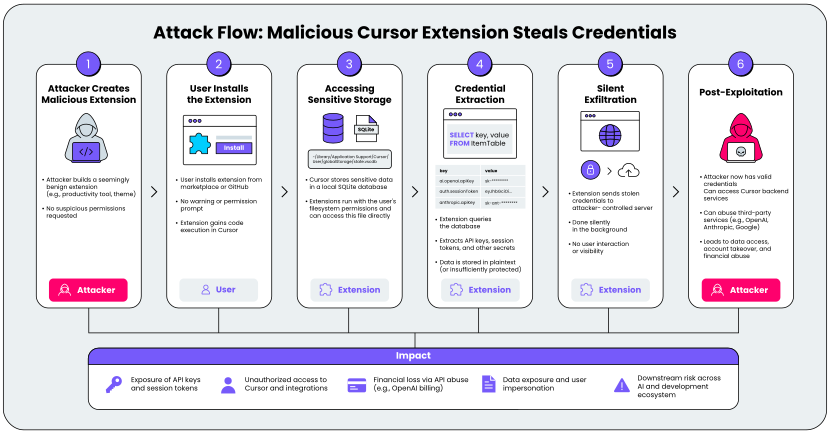
Figure 1. Exploitation Flow
Step 1: Preparing the Malicious Extension
An attacker creates a seemingly benign Cursor extension – perhaps a productivity tool, theme, or helper utility. It does not request any suspicious permissions and appears safe to install.
From the user’s perspective, nothing looks unusual.
Step 2: User Installs the Extension
A developer installs the extension from a marketplace or GitHub repository.
There is:
- No warning
- No permission prompt related to credential access
- No indication of risk
At this point, the attacker has code execution within the Cursor extension environment.
Step 3: Accessing Sensitive Storage
Cursor stores sensitive data in a local SQLite database mentioned above. This database contains:
- Session tokens
- API keys (e.g., OpenAI)
- Other authentication artifacts
Due to missing access control enforcement, the extension can directly open and query this database. No special privileges are required.
Step 4: Credential Extraction
The extension parses the database and extracts:
- API keys
- Session tokens
- Possibly cached configuration or metadata
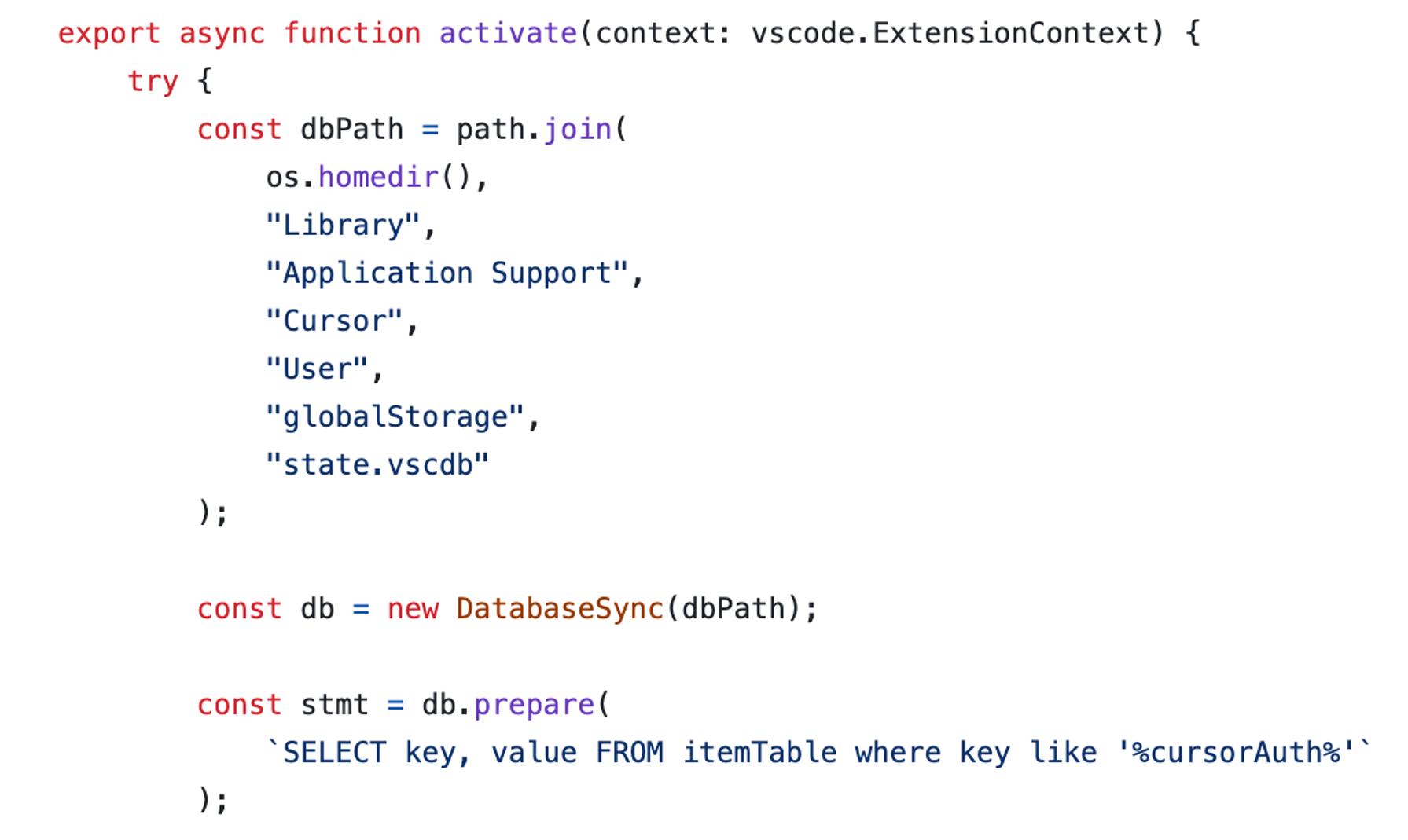
Figure 2. DataBase Query Example from PoC Extension
Because the data is stored in plaintext (or insufficiently protected), extraction is straightforward.
Step 5: Silent Exfiltration
The extension sends the stolen credentials to an attacker-controlled server, which can be done with a simple fetch. This happens silently:
- No user interaction required
- No visible UI changes
- No alerts
Step 6: Post-Exploitation
The attacker now holds valid credentials.
Why This Is High Severity
This vulnerability is particularly dangerous because:
- No permissions required
- No user interaction required after install
- Low attack complexity
- High confidentiality impact
To highlight how easily this can be exploited, we created a PoC extension and a demo video:
Disclosure Timeline:
- Date reported: 02/01/2026
- Vendor response: February 5, 2026, 10:05am UTC
While the report demonstrates that extensions can access the local SQLite database containing credentials, this access is limited to the local machine where the user has already installed and granted permissions to the extension. This represents the same trust boundary as any other local application – malicious extensions with local file system access could potentially access various application data stores.
- Fix status: Not Fixed. Tue, 28 Apr 2026
Recommended Remediation
To properly address this issue, Cursor must:
- Enforce strict isolation between extensions and sensitive credential storage.
- Sensitive credentials should be handled through a secure, encrypted storage layer or system-level keychain (e.g., macOS Keychain, Windows Credential Manager).